Smart Home Guide: Setting Up Security with Ring Devices
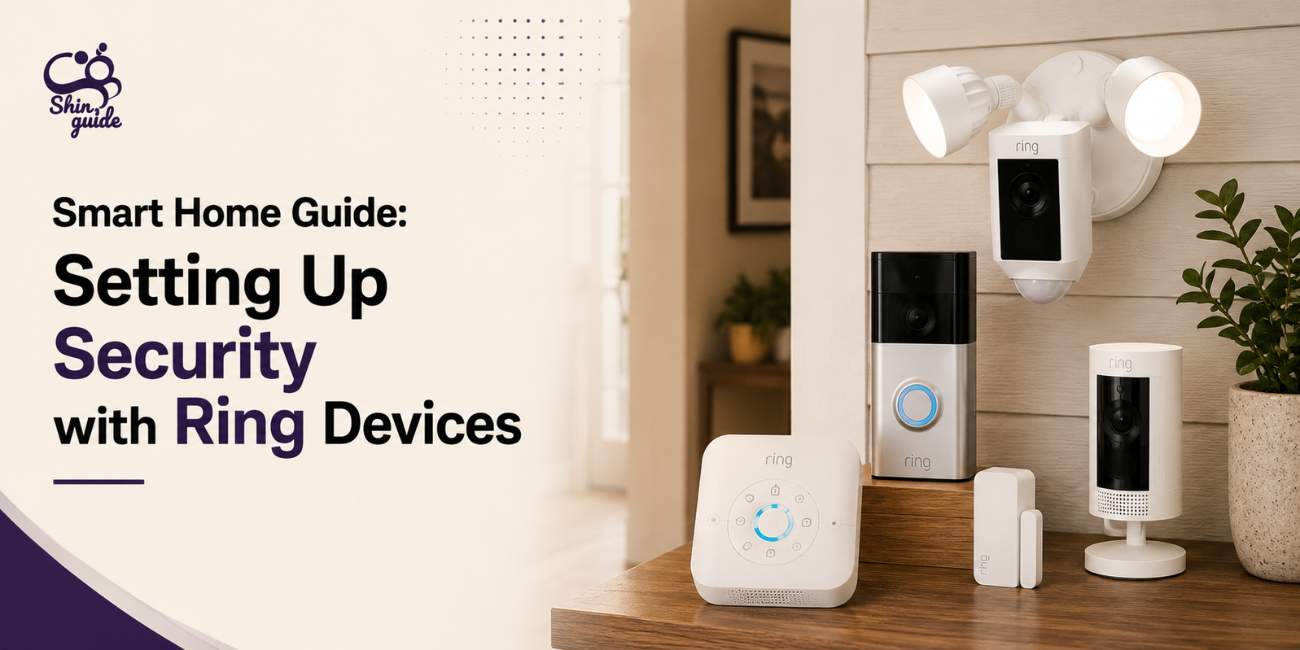
Building a smart home security system is no longer complicated. With Ring devices, you can connect cameras, doorbells, and alerts into one simple ecosystem that lets you monitor your home in real time and respond instantly to activity. This guide explains how to set up a practical Ring security system that actually works in everyday use, without unnecessary complexity.
What You Need for a Ring Security Setup
A basic Ring setup is built around a few core devices that work together through a single app. Most users start with a video doorbell and at least one security camera. These cover entry points and allow you to see and communicate with visitors from anywhere. Optional upgrades like floodlight cameras, indoor cameras, or a Ring Alarm system can expand coverage later. Everything is managed through the Ring mobile app, which acts as the central control system for your home security.
Choosing the Right Ring Devices
The first step is deciding which devices fit your home layout. Ring video doorbells are ideal for front door monitoring, offering live video, motion alerts, and two-way communication. Security cameras are better suited for indoor spaces, backyards, or garages where constant monitoring is needed. For users who want full protection, Ring also offers alarm systems with door and window sensors. These create a complete security network, but even a simple doorbell and one camera setup is enough for most homes.
Step-by-Step Installation Guide
Setting up Ring devices is designed to be beginner-friendly. Battery-powered devices need to be fully charged before installation, while wired models connect directly to existing doorbell wiring. Once powered, the device is mounted at key entry points like the front door or garage area, ensuring a clear field of view. After mounting, the device connects to your Wi-Fi network. A stable connection is important here because weak internet can affect live streaming and alert speed. Finally, the device is synced with the Ring app by scanning a QR code and following the on-screen setup process.
Setting Up the Ring App
The Ring app is the main control center for your entire system. From the app, you can view live video feeds, receive motion alerts, and adjust security settings. It also allows you to name devices based on location, such as “Front Door” or “Backyard,” making it easier to manage multiple cameras. If you subscribe to Ring services, you can also save and review recorded footage directly from the app.
Motion Alerts & Security Settings
Proper motion configuration is important for reducing unnecessary alerts. Users can define motion zones to avoid triggering alerts from roads or irrelevant movement. Sensitivity levels can also be adjusted depending on the environment, and some devices offer person-only detection to reduce false notifications. When set correctly, the system becomes much more accurate and useful in daily use.
Connecting Ring to Smart Home Devices
One of Ring’s biggest strengths is its integration with smart home systems. It works especially well with Amazon Alexa devices, allowing users to see live camera feeds on Echo Show screens or receive voice alerts when motion is detected. This creates a connected experience where your home security becomes part of your daily smart home routine rather than a separate system.
Common Mistakes to Avoid
Most Ring issues come from setup mistakes rather than the devices themselves. Poor Wi-Fi placement is one of the biggest problems, as weak signals can delay alerts or reduce video quality. Incorrect motion zone setup can also lead to too many false notifications, making the system less effective. Another common mistake is mounting cameras at the wrong height or ignoring subscription limitations, which can restrict access to key features like video history.
Pros and Cons
| Pros | Cons |
| Simple and beginner-friendly setup | Many advanced features require a subscription |
| Easy to expand with additional devices over time | Performance depends heavily on Wi-Fi quality |
| Real-time alerts help improve home monitoring | Subscription costs can add up over time |
| Smooth and user-friendly mobile app control | Motion detection may occasionally be inconsistent in high-traffic areas |
| Strong integration with smart home ecosystems | Some features are less useful without a stable internet connection |
Final Setup Tips
For the best performance, your Ring system should be planned carefully rather than rushed. Place your Wi-Fi router in a location that provides strong signal coverage to all devices. After installation, test motion detection and adjust settings as needed. Keeping firmware updated ensures better performance and security improvements over time. For full coverage, using multiple devices across entry points like front doors, back doors, and indoor areas is more effective than relying on a single camera.
FAQs
Do Ring devices need Wi-Fi to work?
Yes. A stable internet connection is required for live video, alerts, and remote access.
Can I use Ring without a subscription?
Yes, but features like video recording history and cloud storage are limited.
How many Ring devices can I connect?
Multiple devices can be added under one account and managed through the same app.
Is Ring good for home security?
Yes. It is one of the easiest and most widely used smart security systems for beginners.
Does Ring work with Alexa?
Yes. Ring integrates directly with Amazon Alexa devices for live viewing and alerts.